
HTTP & HTTPS debugging proxy for Mac, iPhone, iPad & Android
See what your app is really sending
HTTPGlass sits between your Mac and the network, decrypts HTTPS, and shows each request next to the app that made it. Pause it, mock it, point it somewhere else, then let it go.
Free download · macOS 14 Sonoma or later · Apple silicon and Intel
Also on iPhone & iPad and Android:App StoreGoogle Play
How it works
Set up once, then just press Start
- 01
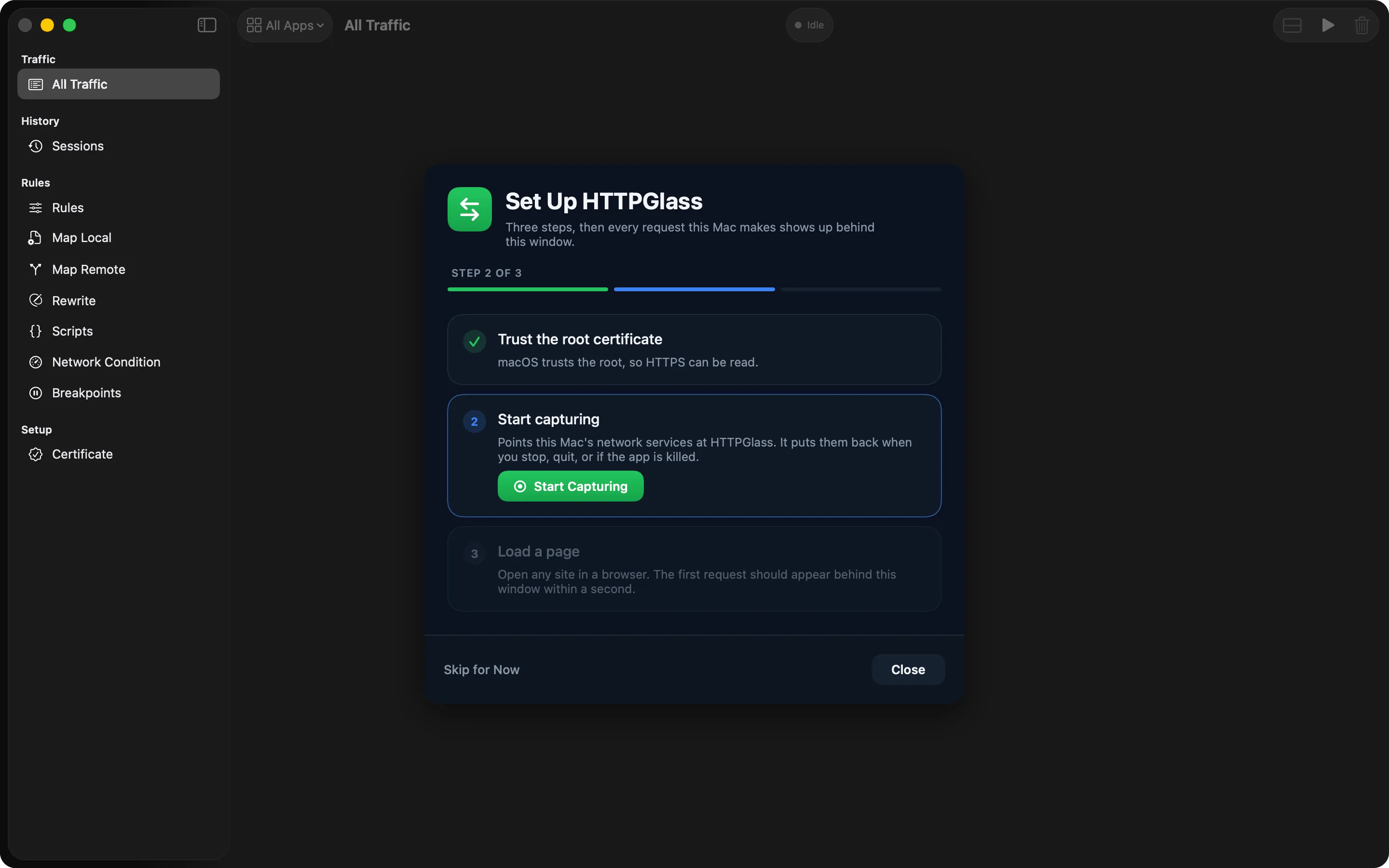
Trust the certificate
The setup assistant creates a root certificate for this Mac only. macOS asks for your password once to trust it.
- 02
Start capturing
HTTPGlass runs a proxy on 127.0.0.1 and points your network services at it. Stop or quit, and your settings go back to how they were.
- 03
Pick your app
Requests arrive labelled with the app that sent them. Choose the one you are debugging and read it decrypted.
Per app
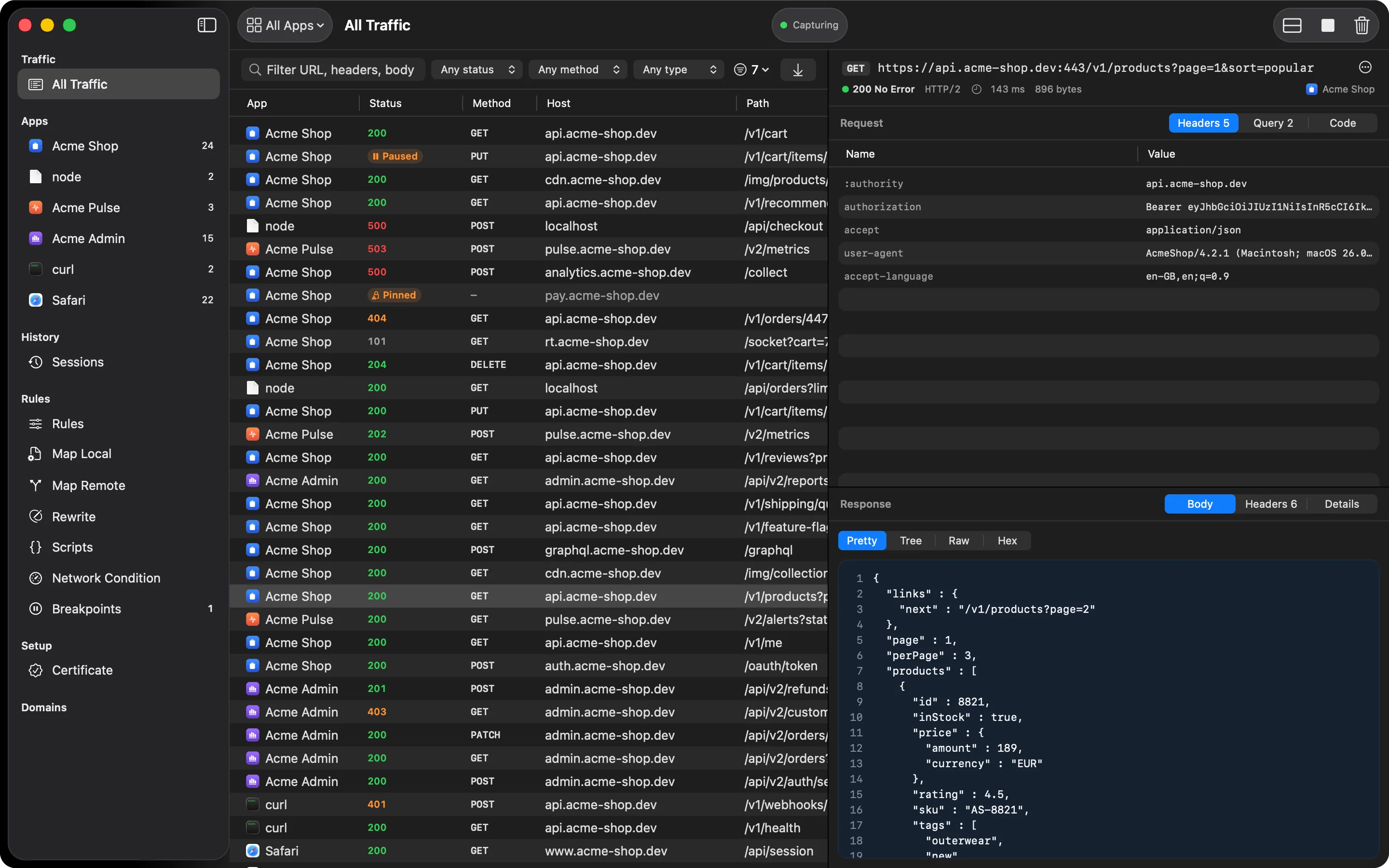
Start from the app, not the firehose
Your Mac talks to the network all day. HTTPGlass puts each app in the sidebar with its own count, so you pick the one you are building and read only its traffic, decrypted.
Learn more →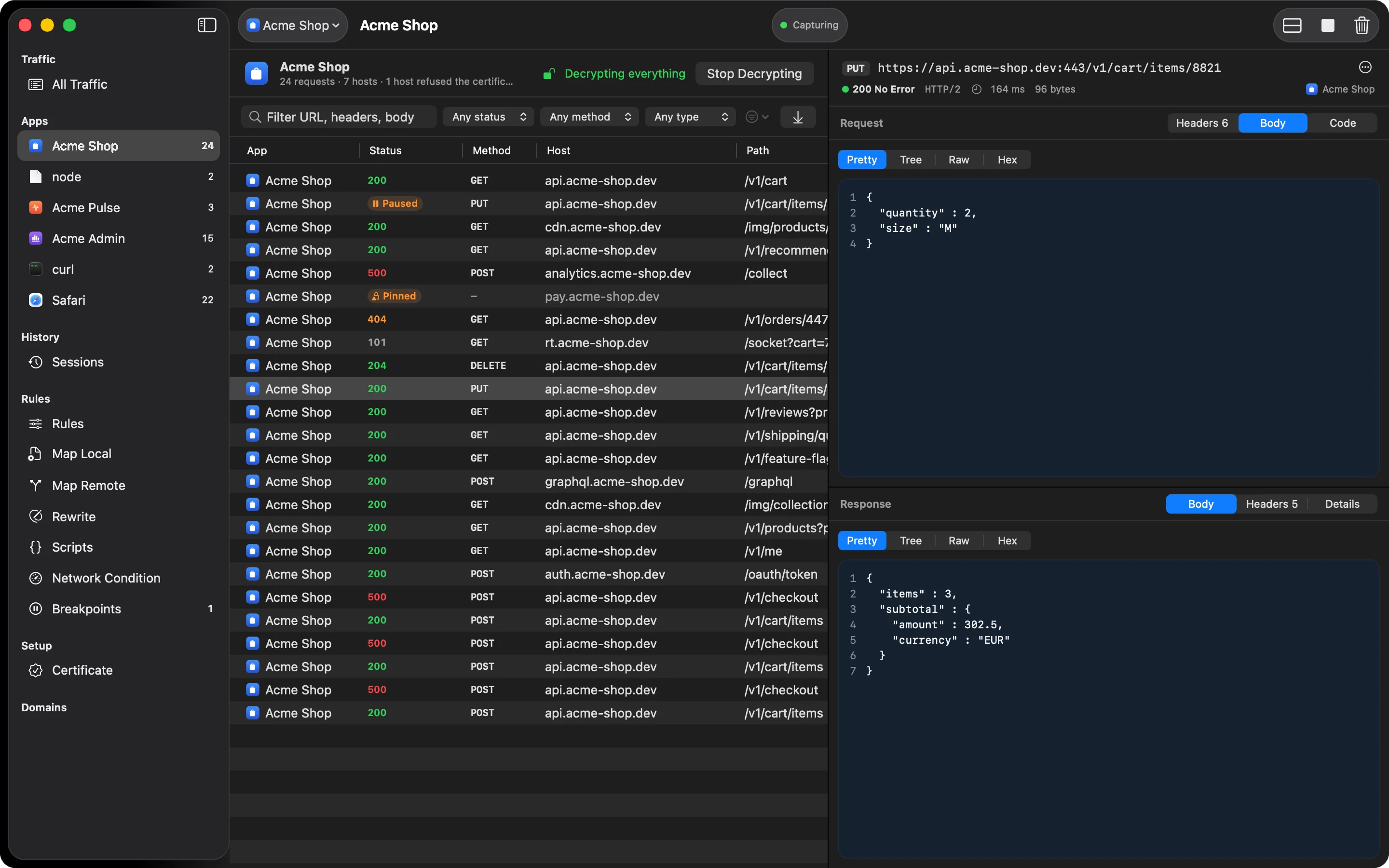
Breakpoints
Stop a request halfway
Match a URL and HTTPGlass holds the request or response until you decide. Edit the headers or the JSON body, then resume it or drop it.
Learn more →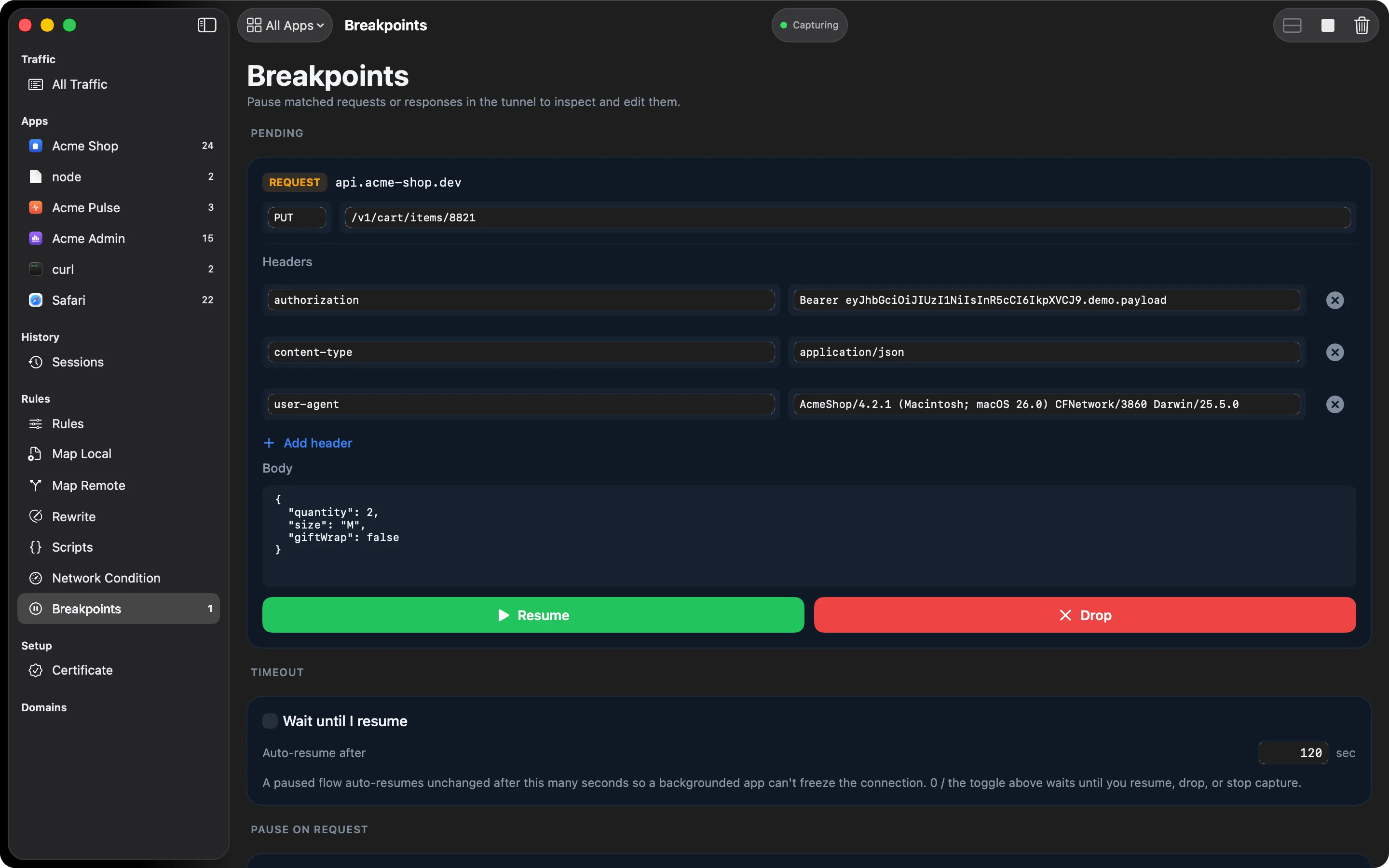
Rewrite and Map Remote
Change traffic without changing code
Set a header, swap a price, strip a cookie, or send checkout to localhost:3000. Rules apply to every matching request until you switch them off.
Learn more →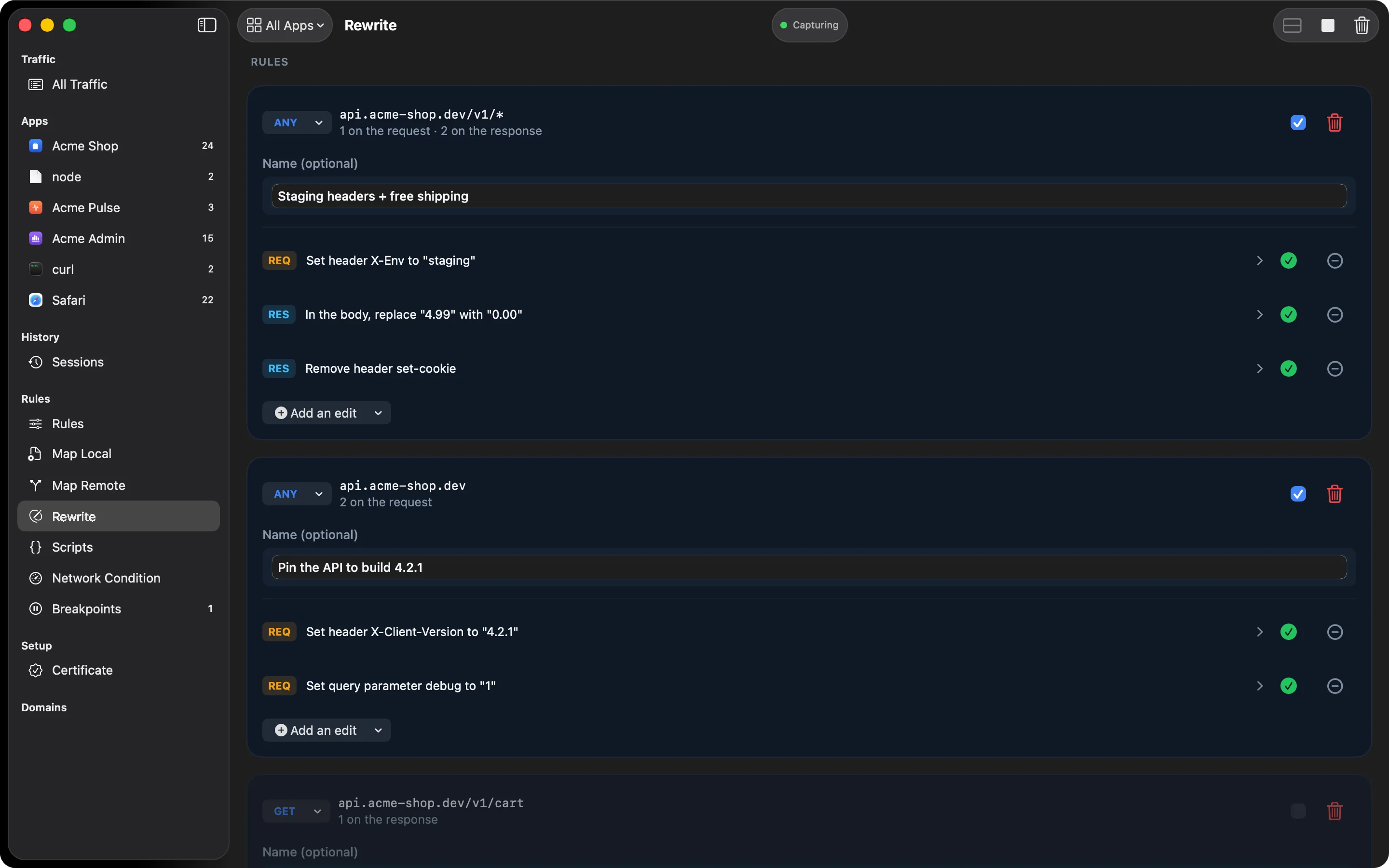
What's inside
Read it, stop it, change it
Capture HTTPS traffic
HTTPGlass trusts its own root certificate on your Mac and decrypts HTTPS as it passes through, so you read the request and response, not just the host name.
Learn more →See which app sent it
Every row carries the name and icon of the app that made it. Pick the app you are working on and the noise from everything else steps aside.
Learn more →Filter and search
Filter by method, status code, domain or content type. Full-text search reaches into URLs, headers and response bodies.
Learn more →Body viewers
JSON tree, indented XML and HTML, form fields as a table, cookies with their attributes, image previews and hex.
Learn more →Breakpoints
Pause a request or response in flight, edit headers and body, then send it on or drop it.
Learn more →Map Local
Answer a matching request with a response you wrote, without touching the backend. Good for error states and empty lists.
Learn more →Map Remote
Send matching requests to staging, a local server or another path, while the app keeps asking for production.
Learn more →Rewrite
Set, remove or find-and-replace headers, bodies, status codes and query parameters on every matching message.
Learn more →JavaScript scripting
onRequest and onResponse hooks, the same shape as Proxyman’s. JSON bodies arrive parsed; change a field and return it.
Learn more →Network Condition
Throttle to 3G, LTE or your own bandwidth and latency, for every host or just one, and find the spinner that never shows.
Learn more →GraphQL and WebSocket
Operations labelled by name with query, variables and errors broken out. WebSocket frames in both directions.
Learn more →cURL and code generation
Copy any request as cURL or as Swift, Python, JavaScript or Kotlin, or send it again with one click.
Learn more →Careful with your Mac
It changes your proxy settings, so it puts them back
Capturing means pointing your network services at HTTPGlass. Before it changes anything it writes down what was there, and it restores exactly that when you stop, when you quit, or on the next launch if the app was killed mid-capture.
The certificate's private key never leaves your Mac, and captured traffic stays on it too. HTTPGlass has no account and no cloud sync.
Also on iPhone, iPad and Android
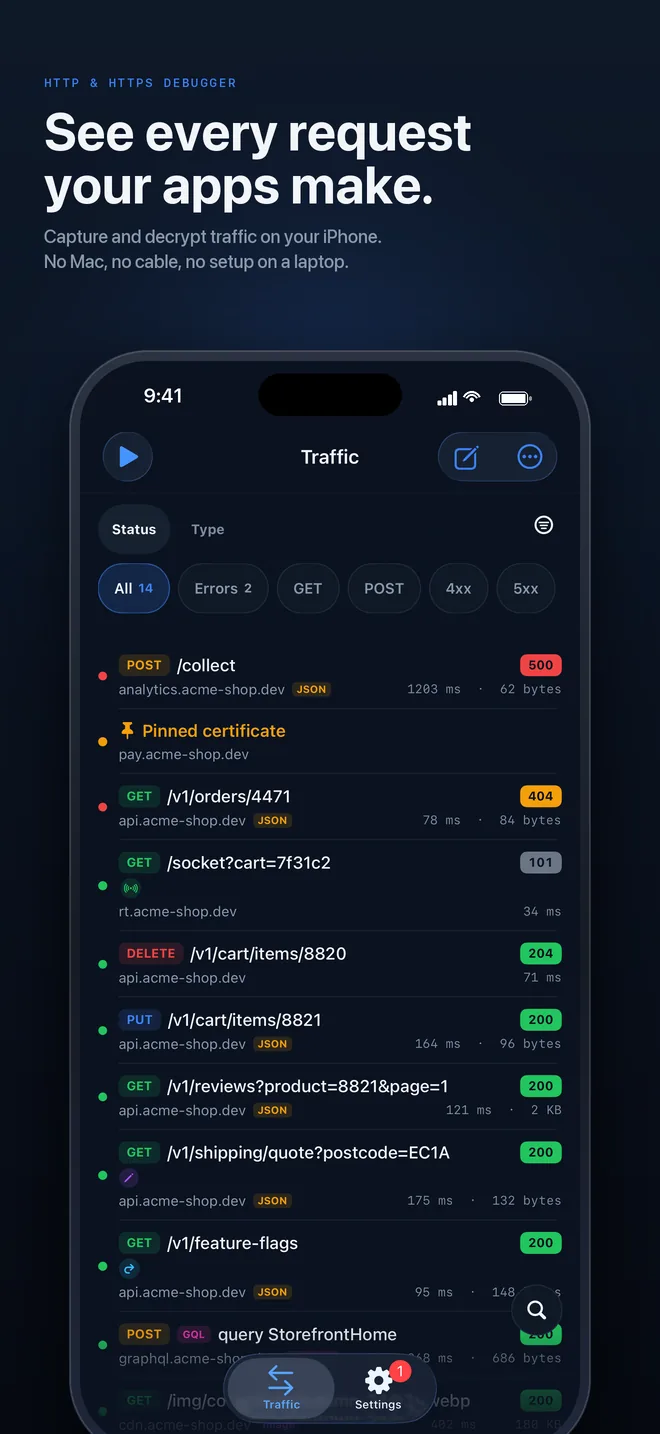
The same debugger, on the phone itself
HTTPGlass for iPhone, iPad and Android runs the proxy on the device through a local VPN tunnel, so there is no Mac and no cable in the loop. Free on the App Store and Google Play, with Pro as a subscription through each store.
Before your first capture
HTTPGlass, explained
What is HTTPGlass?
HTTPGlass is an HTTP and HTTPS debugging proxy made by Nutiverse for Mac, iPhone, iPad and Android. It helps developers inspect API requests and responses, pause traffic with breakpoints, and test changes with mocking and rewrite tools. How HTTPGlass works →
Can I inspect HTTPS traffic on an iPhone without a computer?
Yes. HTTPGlass runs on the iPhone or iPad through a local VPN tunnel. Install the app, approve its VPN profile and install and trust its root certificate, then start capture. It requires iOS or iPadOS 18 or later on a physical device. Certificate-pinned apps cannot be decrypted by this setup. Set up on iPhone or iPad →
Can HTTPGlass decrypt every Android app without root?
No. Capture works without root on Android 10 or later, but HTTPS decryption requires the app to trust the HTTPGlass certificate. Many installed apps do not trust user-added certificates. For your own app, configure certificate trust in a debug build; certificate pinning and custom TLS stacks can still prevent decryption. Understand Android certificate trust →
Is HTTPGlass free, and do Pro purchases cover every platform?
HTTPGlass has a free tier with no time limit and optional Pro subscriptions. Mac Pro, iPhone and iPad Pro, and Android Pro are separate purchases. A personal Mac Pro licence covers up to three Macs; mobile subscriptions are managed by the App Store or Google Play. Compare Free and Pro →
Does HTTPGlass send captured traffic to a cloud service?
HTTPGlass processes captured traffic locally on the device running the app. Its mobile VPN tunnel is used for local capture, not a remote VPN relay. Normal connections still reach their destination servers. Captures can be exported where supported; the privacy policy separately explains licensing and optional analytics. Read the privacy policy →
Start with the free version
Free download · macOS 14 Sonoma or later · Apple silicon and Intel
Also on iPhone & iPad and Android:App StoreGoogle Play