Android
HTTPGlass for Android
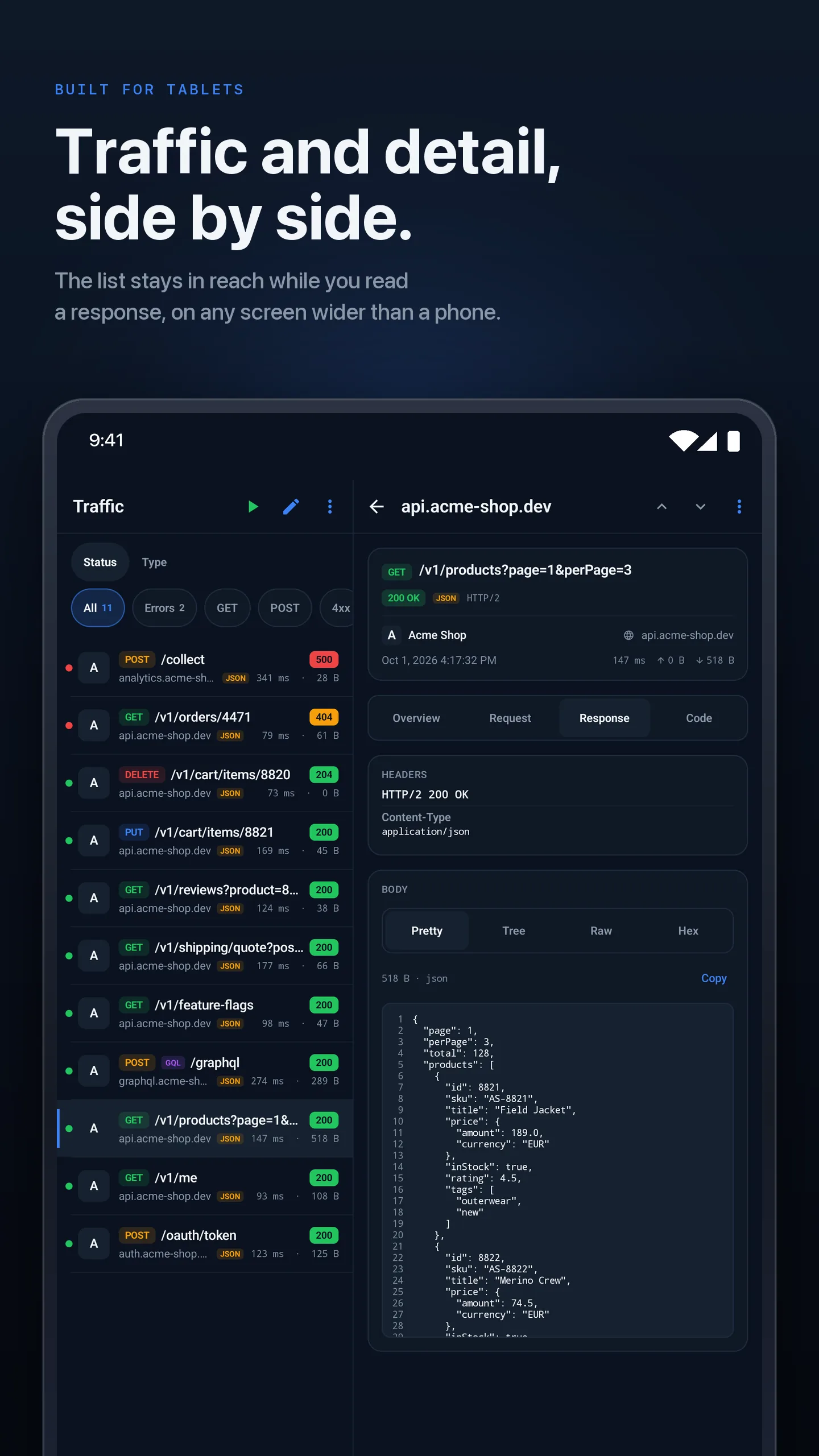
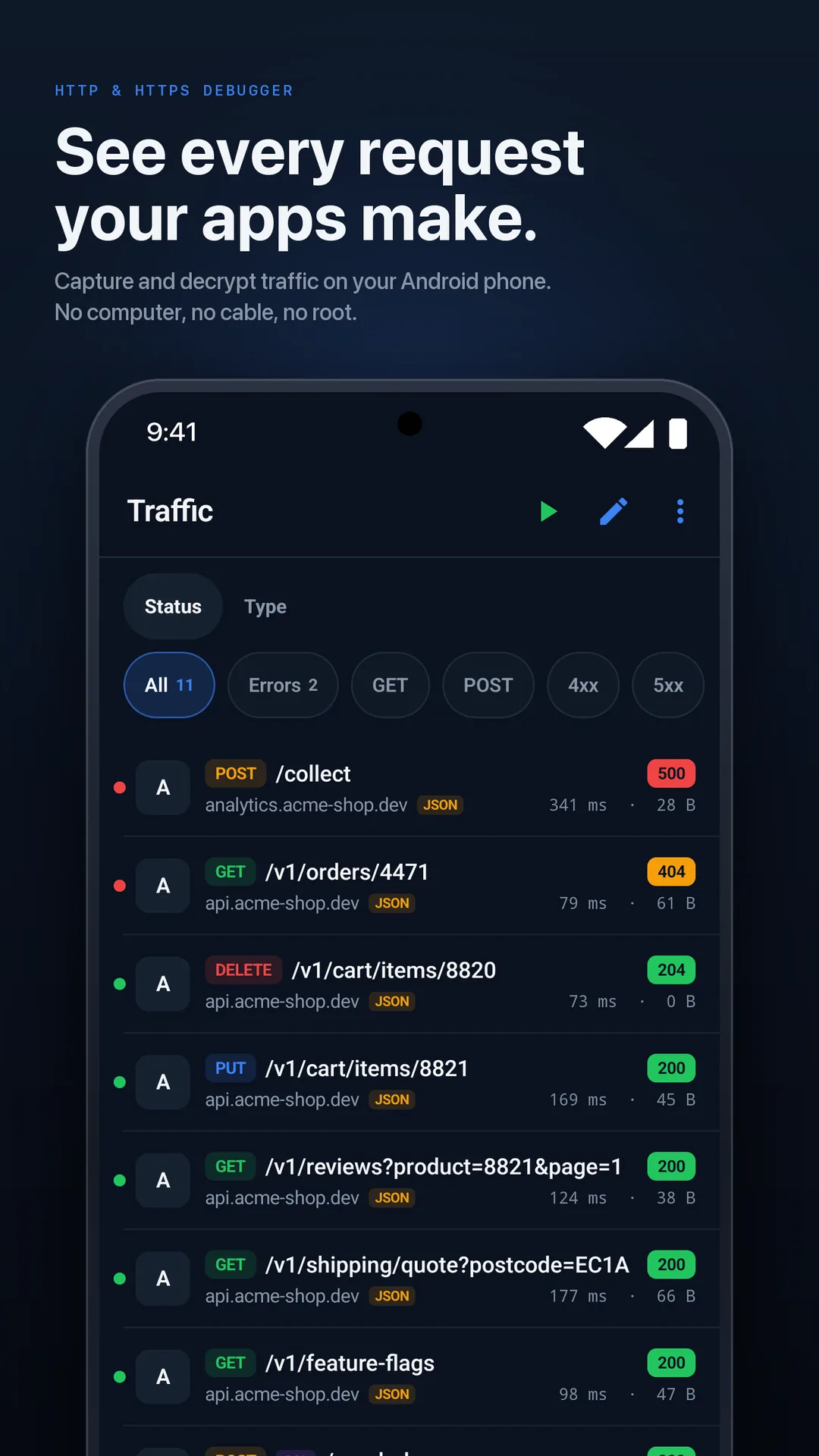
See every request your apps make, from the phone you are testing on. The proxy runs on the device through Android's VPN service, so there is no computer in the loop and no root needed.
- Requires
- Android 10 or later · phone or tablet · no root
- Emulator
- Works, but the certificate step is still done by hand in Settings
- Setup time
- A few minutes, most of it the certificate step
- Price
- Free to download and use. Pro is a monthly or yearly subscription billed by Google Play. Prices are shown in Google Play.
Only browsers and your own debug builds trust a certificate you install by hand, so only those show decrypted HTTPS. Other apps still show up, as encrypted connections (host, size and timing) that HTTPGlass never breaks open. It tells you which is which as you capture. See why Android only decrypts some apps.
Setup
From Google Play to your first request
- 01
Install from Google Play
HTTPGlass is a free download. Capture, decryption, every inspector and the GraphQL tab work without paying.
- 02
Allow the VPN
HTTPGlass shows its own disclosure first, then Android asks you to confirm a VPN connection. It is a local tunnel on the phone; there is no VPN server and no account.
- 03
Install the certificate in Settings
HTTPGlass writes a certificate file to Downloads. You install it by hand in Android Settings, under Encryption and credentials. That is what lets browsers and your own debug builds show decrypted HTTPS.
- 04
Start capturing
Pick which apps to capture, open one, and the requests show up in the list as they happen.
Rules
Block it, mock it, send it somewhere else
Block, Allow and No Caching lists, plus Map Local, Map Remote, Rewrite and Breakpoints. Free includes one pattern each in Block, Allow and Breakpoints; the other rules need Pro.
Learn more →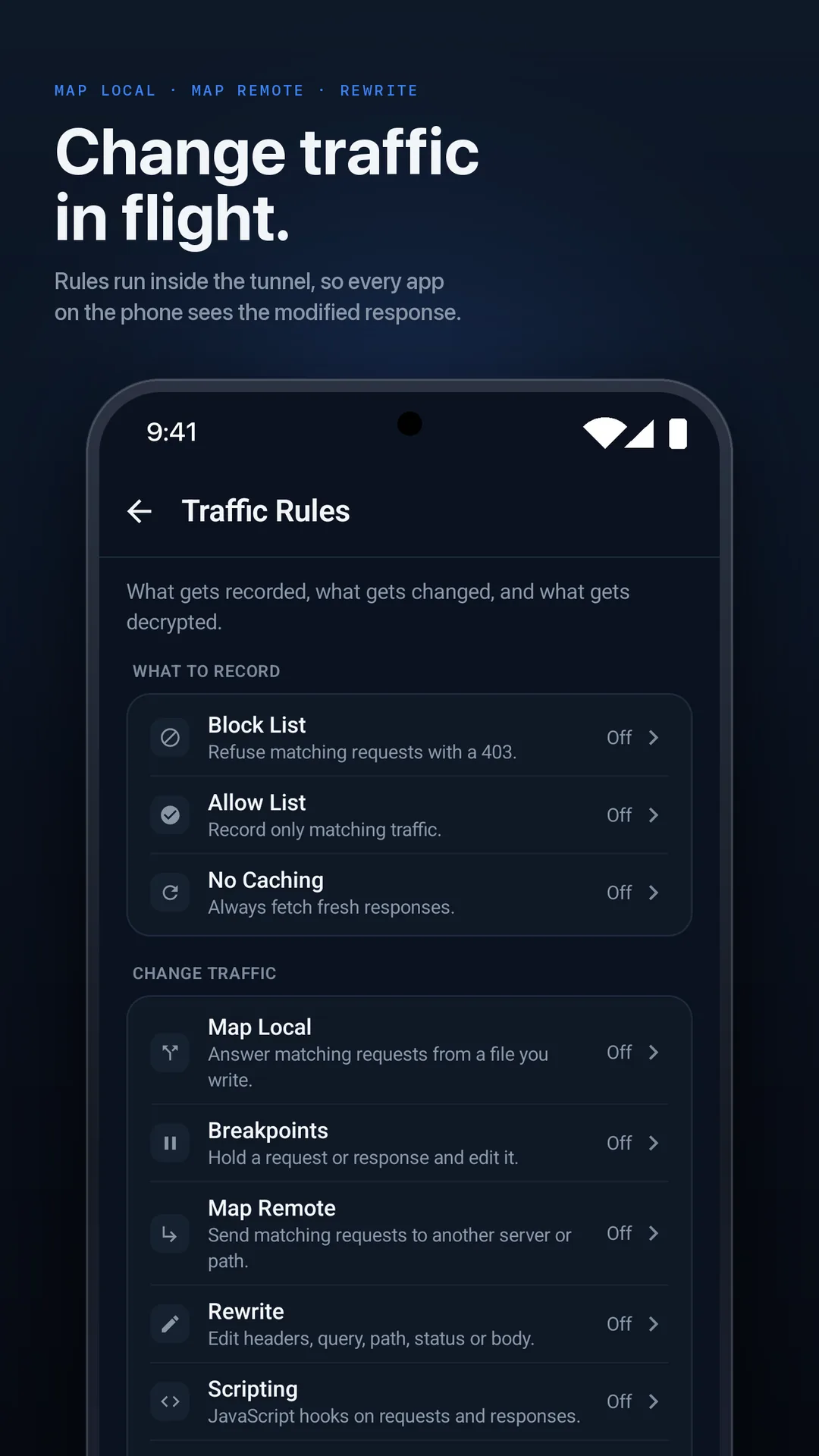
Scripting
JavaScript, on the phone
onRequest and onResponse hooks run on-device against live traffic, with templates to start from. Change a field in a JSON body and return it.
Learn more →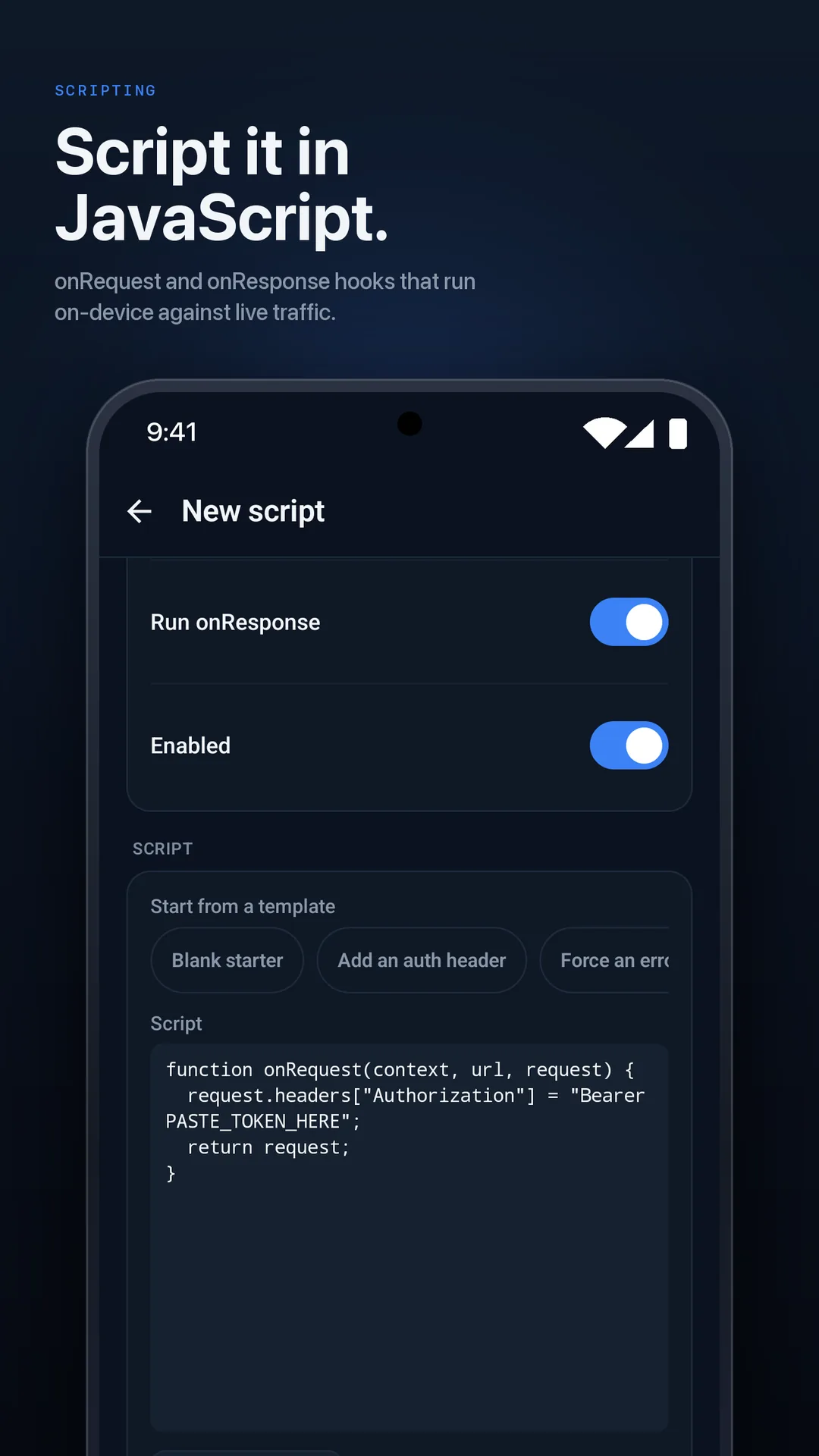
Private by design
Your traffic stays on your phone
HTTPGlass runs its own VPN tunnel on the device. There is no VPN server, no account, and nothing captured ever leaves the phone.
Learn more →Built for tablets
Traffic and detail, side by side
On a wide screen, the request list stays in reach while you read a response, so you can step through a run of requests without losing your place.